Renew Short Code to Monthly Billing
This topic explains the various scenarios of renewing a short code into Monthly Billing.
Short Code Expiration - Last MonthShort Code Expiration - Last Month
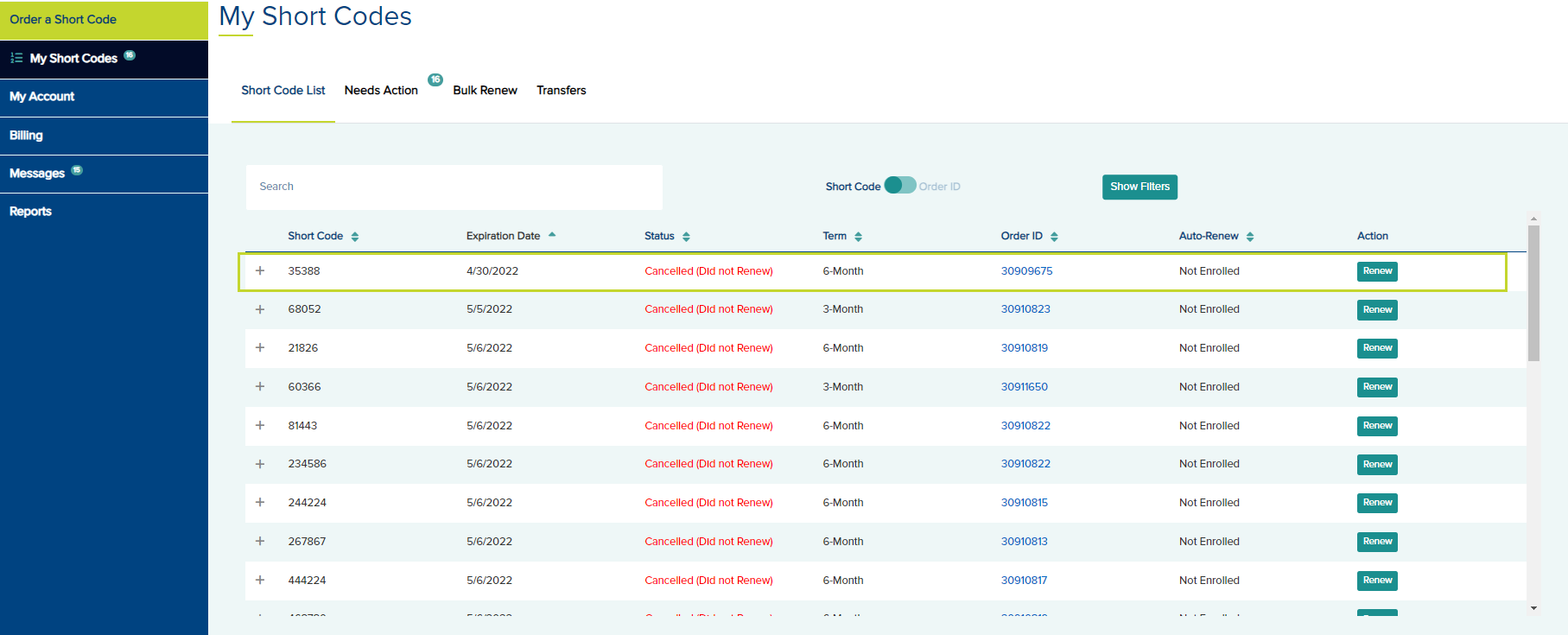
Code expired last month. In this case, renewing to MB is not possible. Renew the code as pre-paid for a 3-month term first. Then go back to the portal and renew again directly into monthly billing. The code will be billed monthly starting on the expiration month pre-paid term. In the following example, the code is already expired on 4/30/2022. Today is 5/27/2022.
- To renew the code, click the Renew button below the action column.
- On the Cart tab, you may renew this code as pre-paid for a for 3-Month, 6-Month, or 12-Month term but Billed Monthly is not an option for term in the drop down.

- Click Next and edit any information in the Application tab as needed.
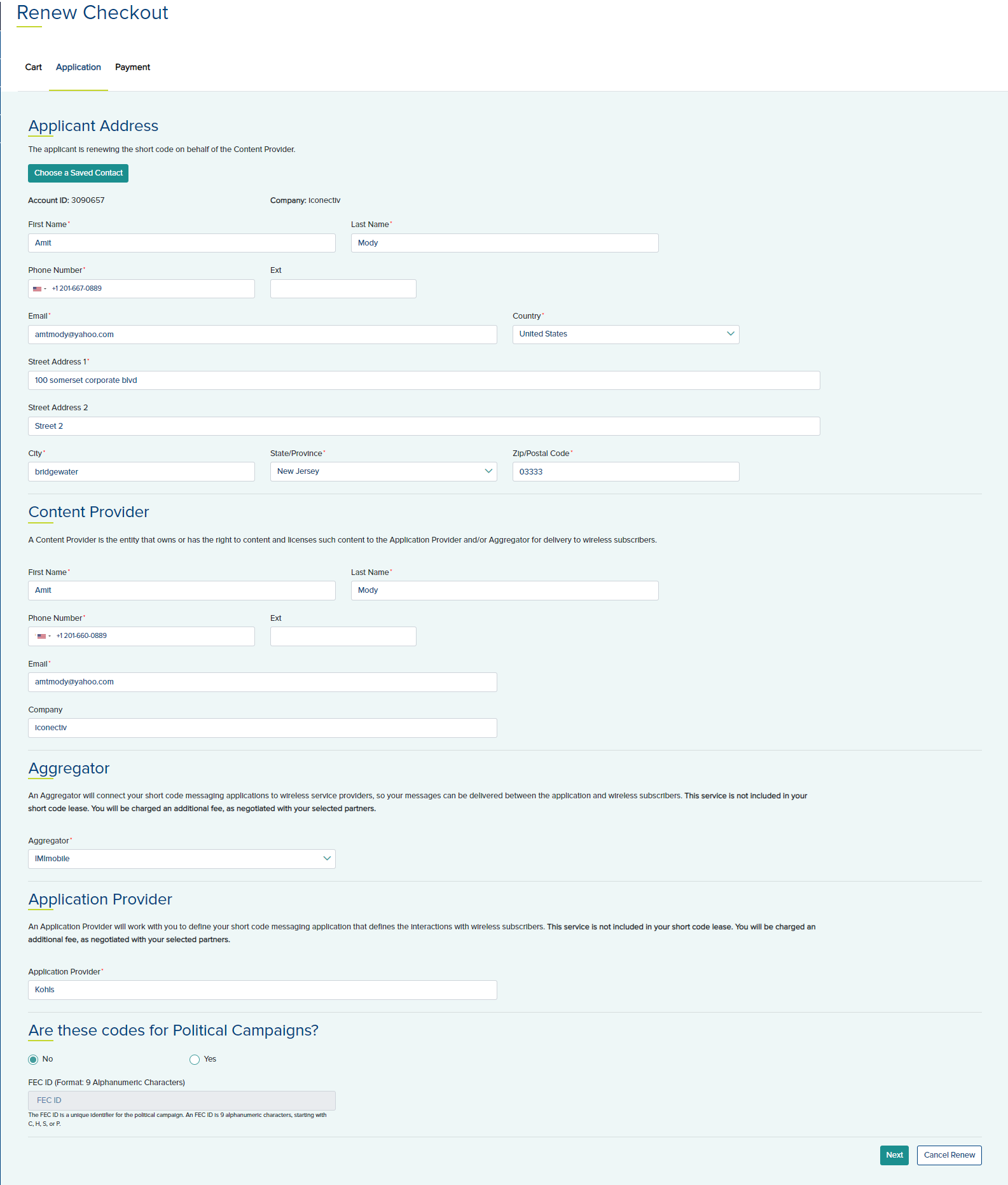
- Click Next to open the Payment tab.
- If you select Pay Now, choose a credit card/ACH on file or add a new Payment Method.
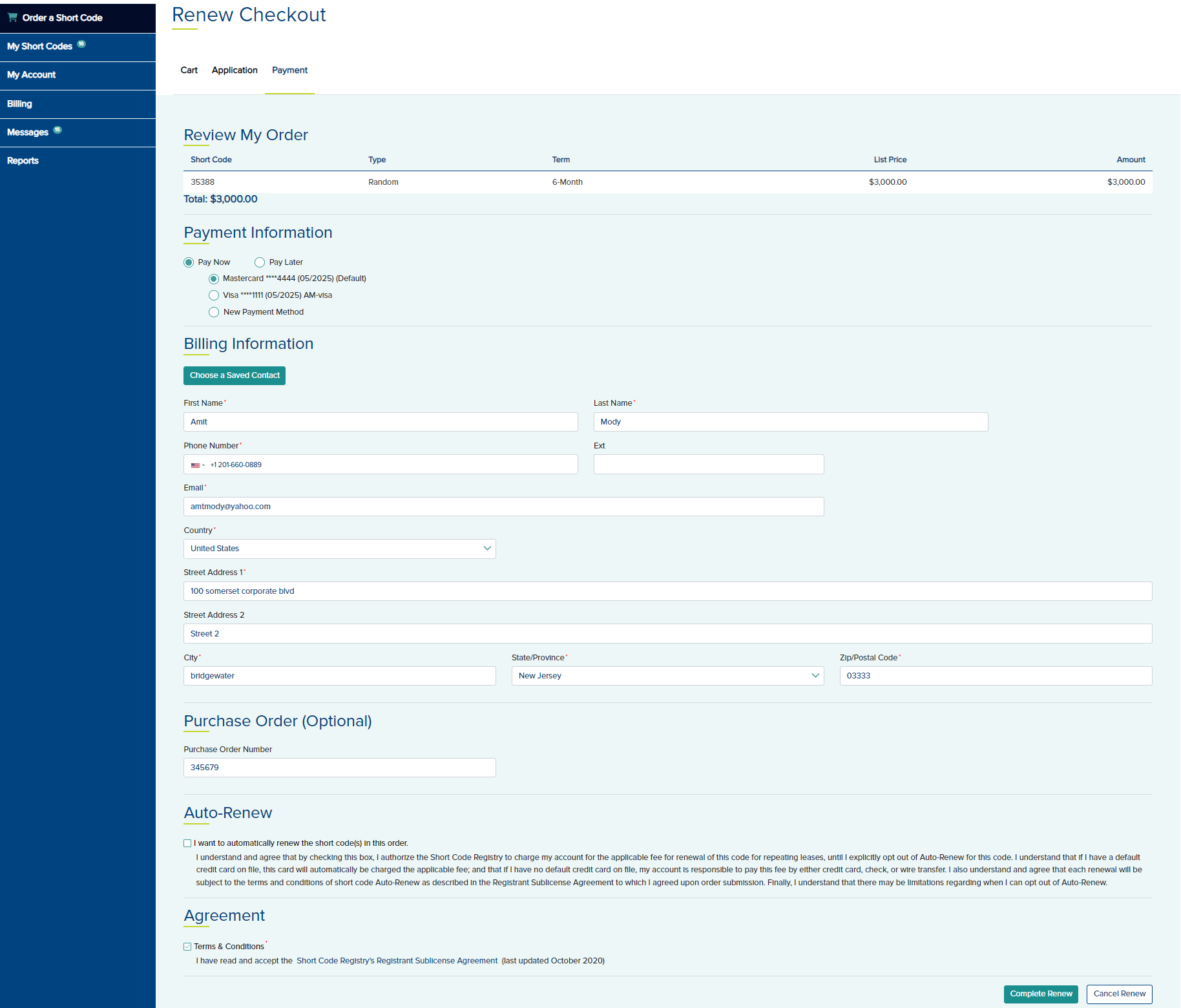
- If you wish to enroll for auto renewal, select the check box in the Auto-Renew section. If you plan to add the code to monthly billing on the next renewal, do not select Auto-Renew.
- Agree to the Terms & Conditions in the Agreement section.
- Click Complete Renew. A Thank You message is displayed.

- If you choose, Pay Later and completed the renewal for this scenario, you may make the payment from the Short Code List tab by clicking the View/Pay Invoice button.
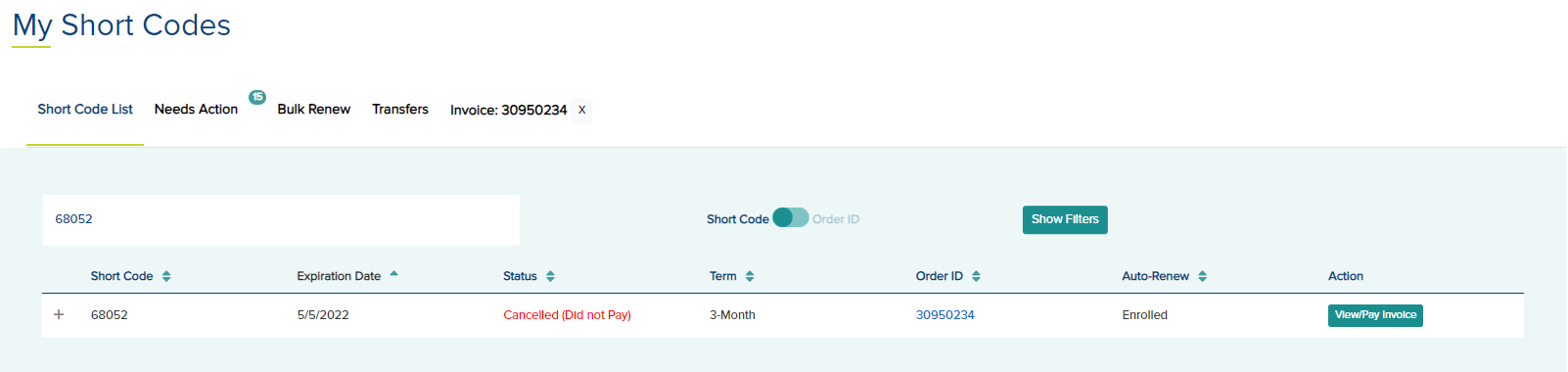
- You may Pay Online or Check or Wire.

Monthly Invoice generation is 5 days before the first of the month. If the short code expiration is this month and today is before the invoice generation, you may renew this short code to Monthly Billing.
Condition - To add this short code to
Monthly Billing, you must start with a 1-month pre-paid lease that will automatically roll over into monthly billing. You may renew the code as pre-paid for
3-Month, 6-Month, or 12 Months with no conditions.
In the following example, the code is already expired on 5/14/2022. Today is 5/20/2022.
- To renew the code, click the Renew button below the action column.
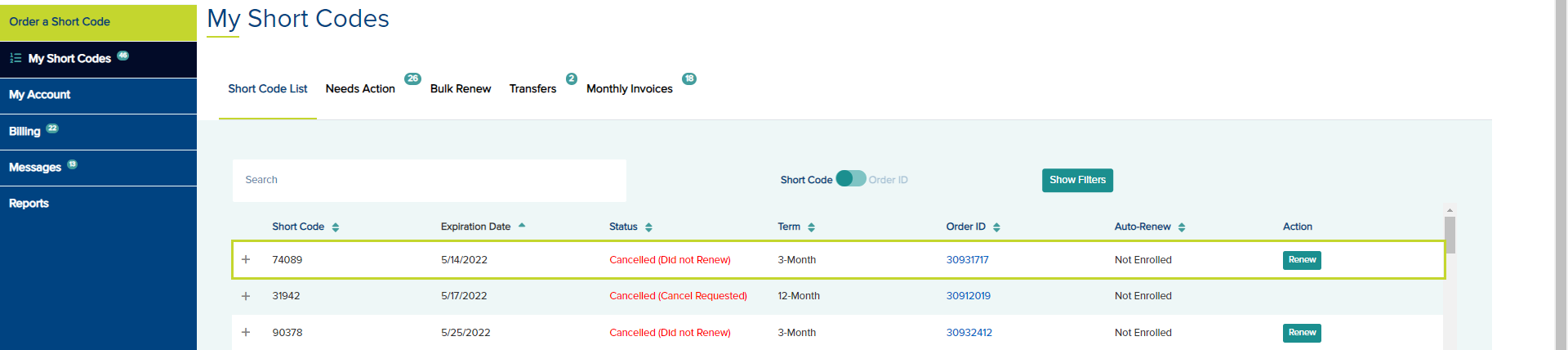
- On the Cart tab, you may renew this code as pre-paid for a for 3-Month, 6-Month, or 12-Month term or add to Monthly Billing by selecting Billed Monthly as the term.
If you want this code to be enrolled in monthly billing a warning is displayed. To add this short code to Monthly Billing, you must start with a 1-month pre-paid lease that will automatically roll over into monthly billing when the 1-Month lease is paid.
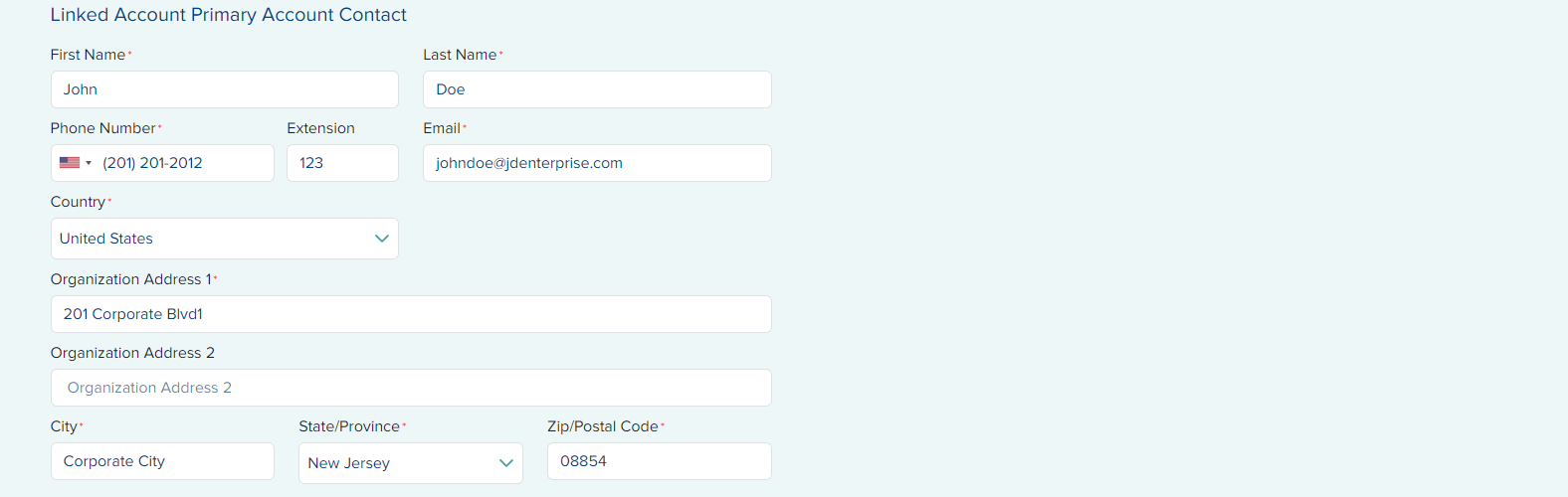
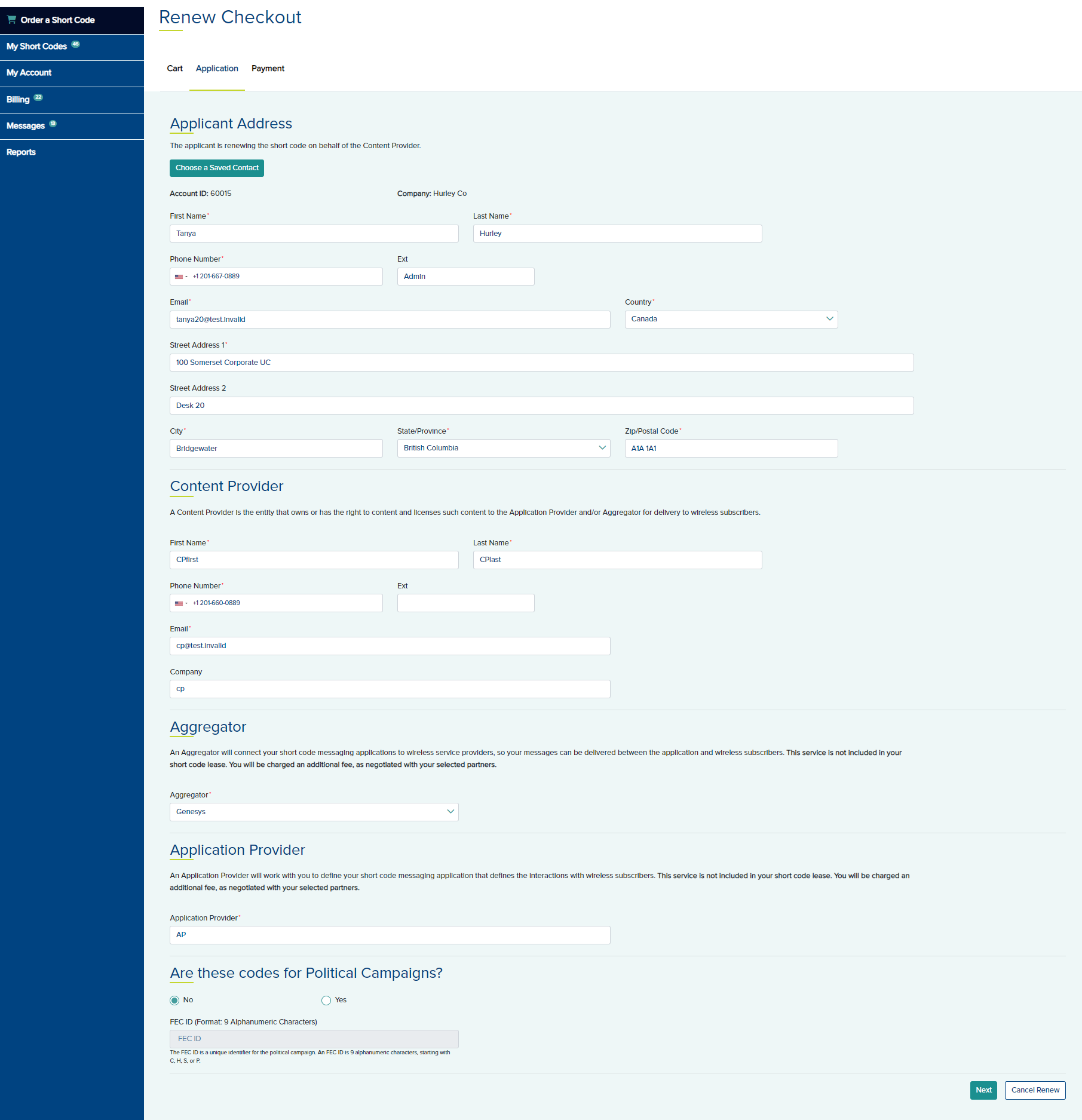
- Click Next and edit any information in the Application tab as needed.
- Click Next to open the Payment tab.
- If you choose Pay Now, select a payment method. If the payment is successful for the 1-month, the short code will automatically roll into monthly billing.
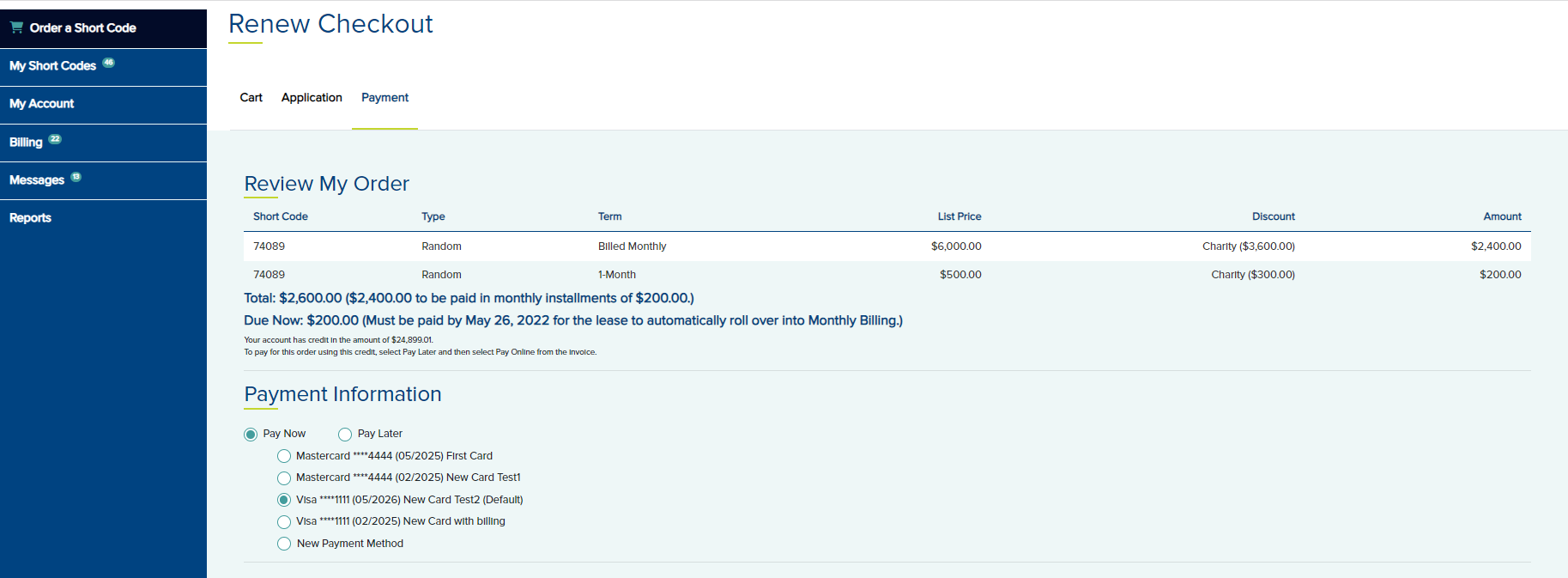
- If you choose to Pay later, the Billed Monthly calculated price may vary depending on the validity of the applied discount and will be determined when payment is made on the 1-Month lease.
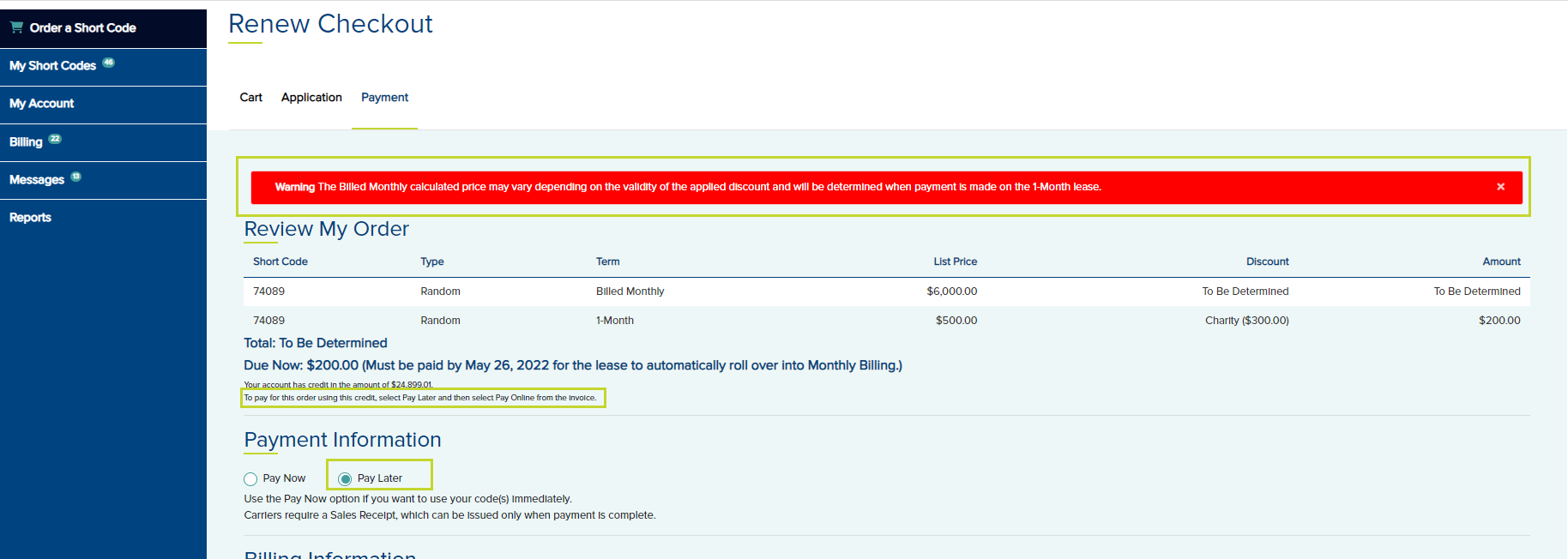
You can make the payment after completing the pay later renewal using credit, if you have available credit on your account, or pay online from the Invoice tab that can be opened by clicking the View/Pay Invoice button on the short code list. Or you can send a check or wire transfer.
Note: The payment for the 1-month must be received before the monthly invoice generation for this month to be eligible to roll into monthly billing. - In the Monthly Billing section, select the option I want to renew this short code into Monthly Billing.
- Click Complete Renew and a Thank you page is displayed.

Code expired this month, and the monthly invoice has already been generated (i.e., today is within 5 days of the first of next month). In this case, renewing to Monthly Billing is not possible. Renew the code as pre-paid for a 3-month term first. Then go back to the portal and renew again directly into monthly billing. The code will be billed monthly starting on the expiration month pre-paid term. In the following example, the code is already expired on 5/25/2022. Today is 5/29/2022.
- To renew the code, click the Renew button below the action column.
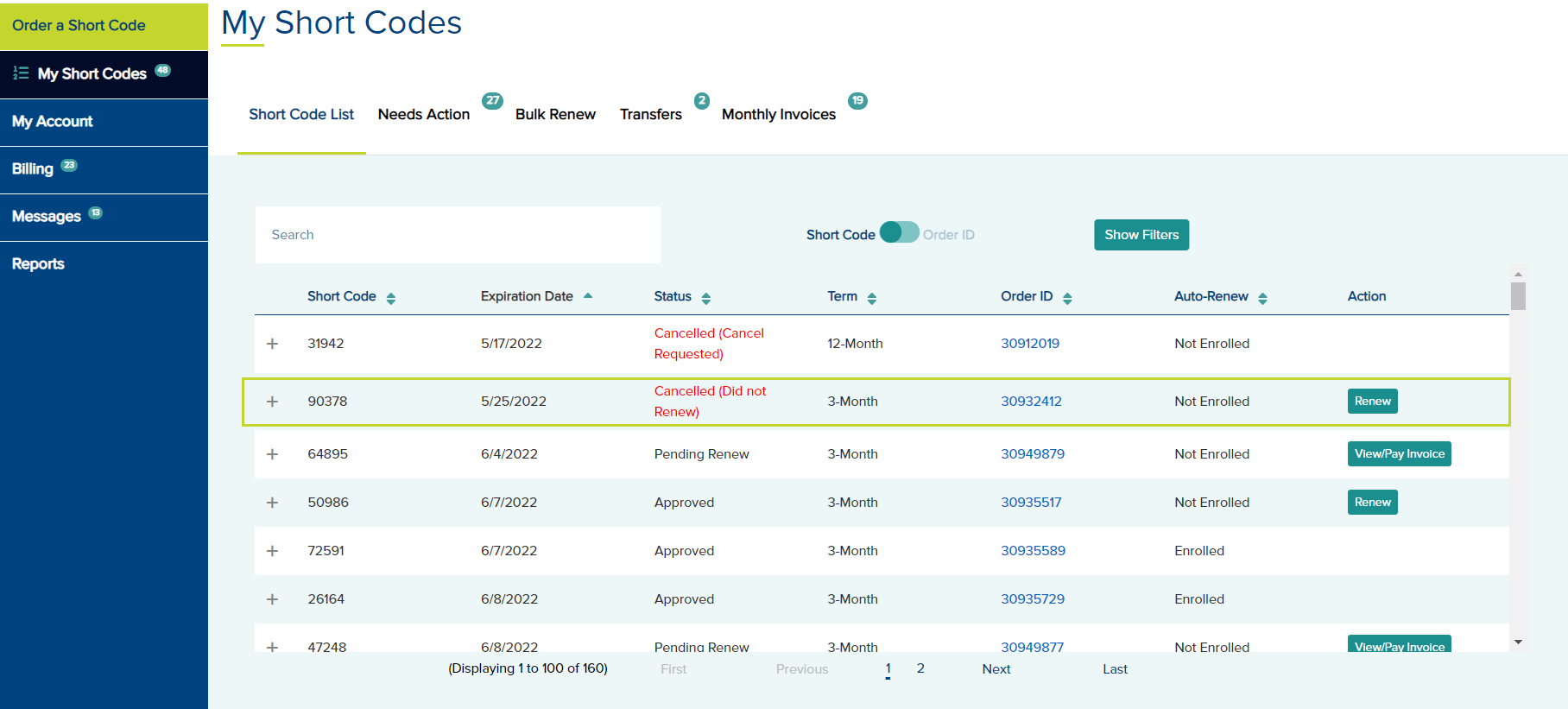
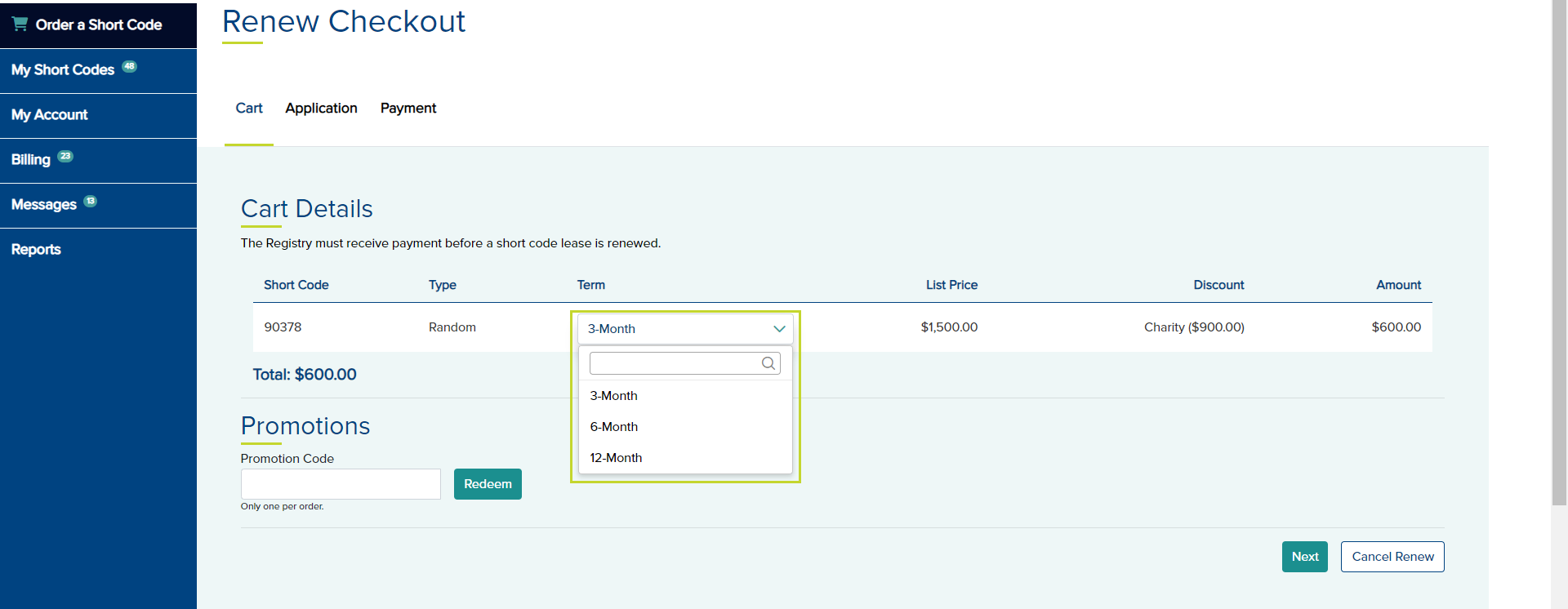
- On the Cart tab, you may renew this for 3-Month, 6-Month, or 12-Month but Billed Monthly is not an option for term in the drop down.
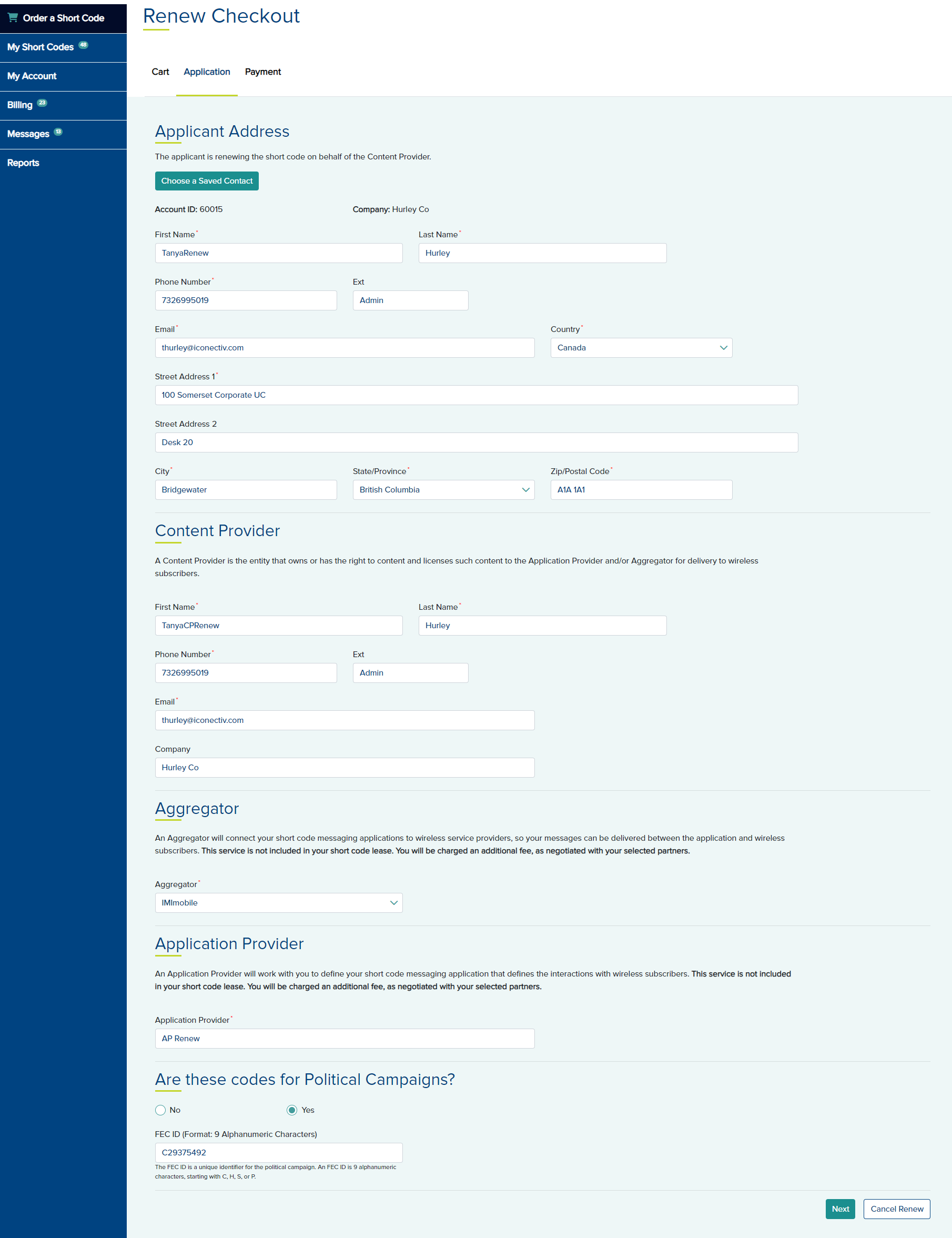
- Click Next and edit any information in the Application tab as needed.
- Click Next to open the Payment tab.
- If you select Pay Now, choose a credit card or ACH on file. If you wish to add a new Payment Method, select that option and add a new credit card or ACH.
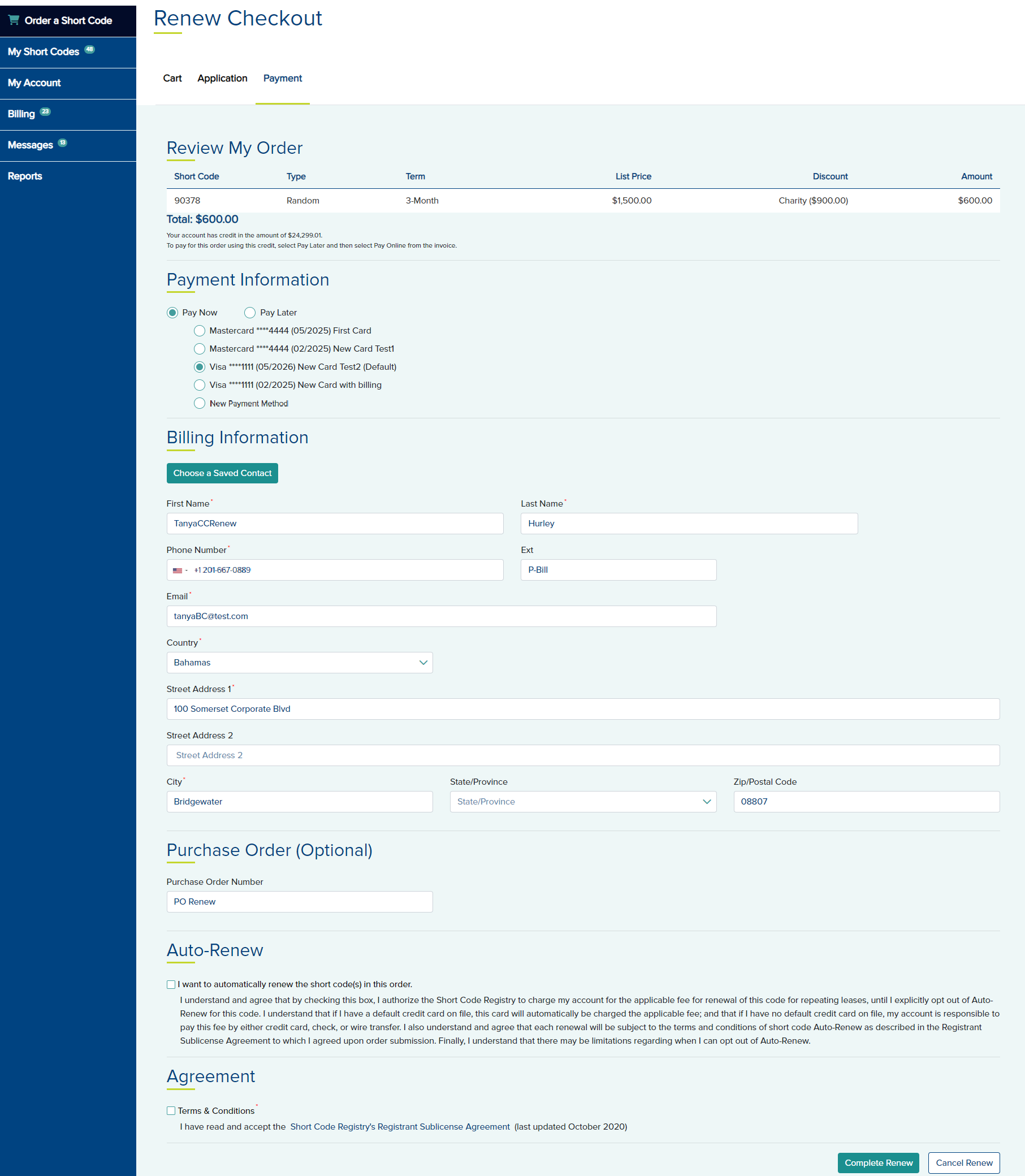
- If you wish to enroll for auto renewal, select the check box in the Auto-Renew section. If you plan to add the code to monthly billing on the next renewal, do not select Auto-Renew.
- Agree to the Terms & Conditions in the Agreement section.
- Click Complete Renew. A Thank You message is displayed.
- If you choose, Pay Later and completed the renewal for this scenario, you may make the payment from the Short Codes tab by clicking the View/Pay Invoice button. You may Pay Online or Check or Wire.
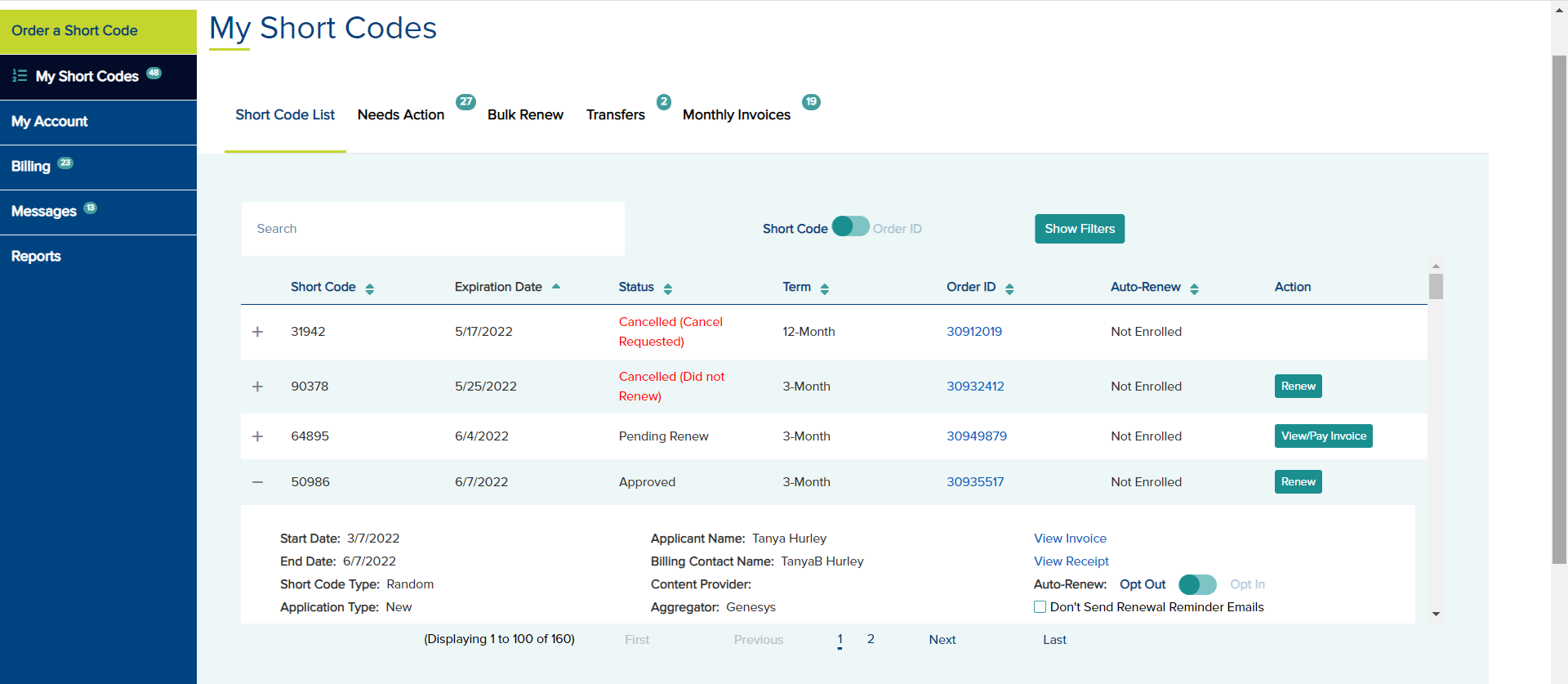
In this scenario, you are renewing a code that is expiring the following month. Today is prior to invoice generation. You can renew the code directly to Monthly Billing. In the following example, the code expires on 6/7/2022. Today is 5/20/2022.
- To renew the code into Monthly Billing, click the Renew button below the Action column.
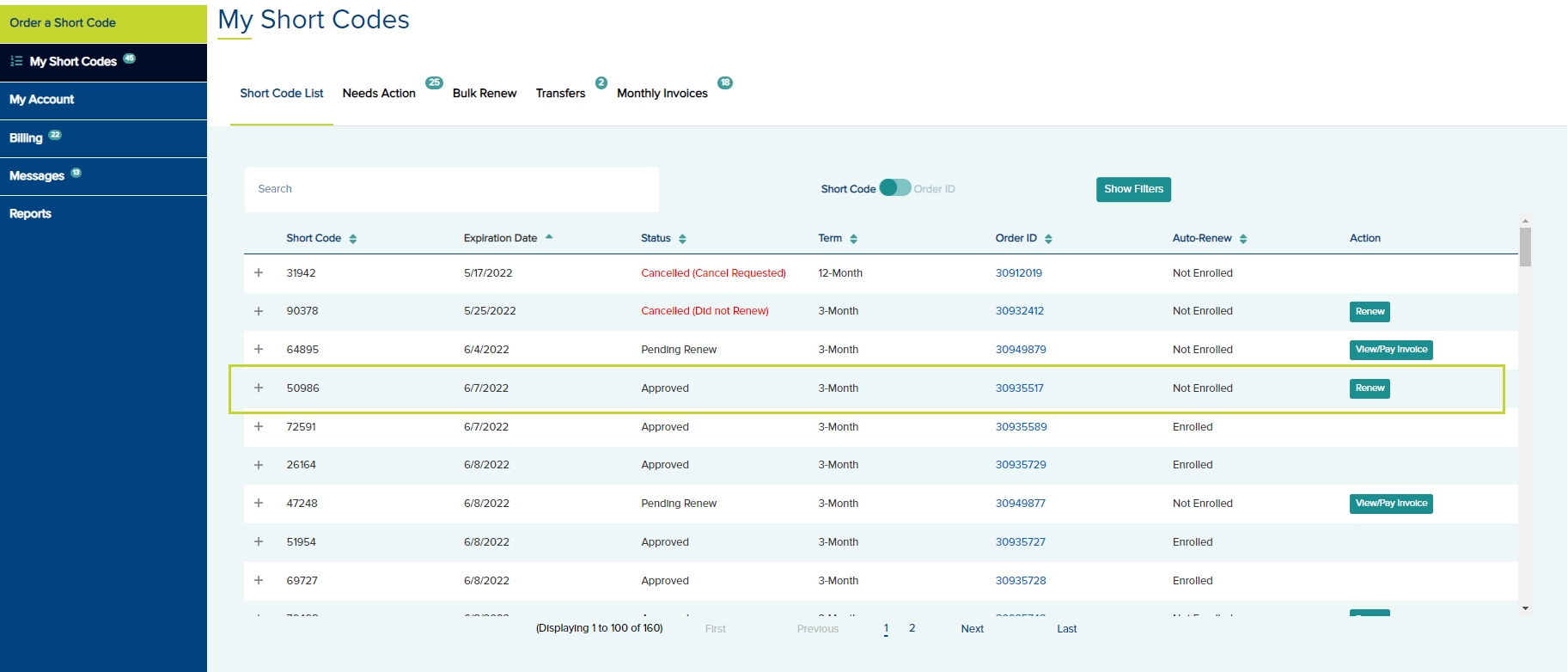
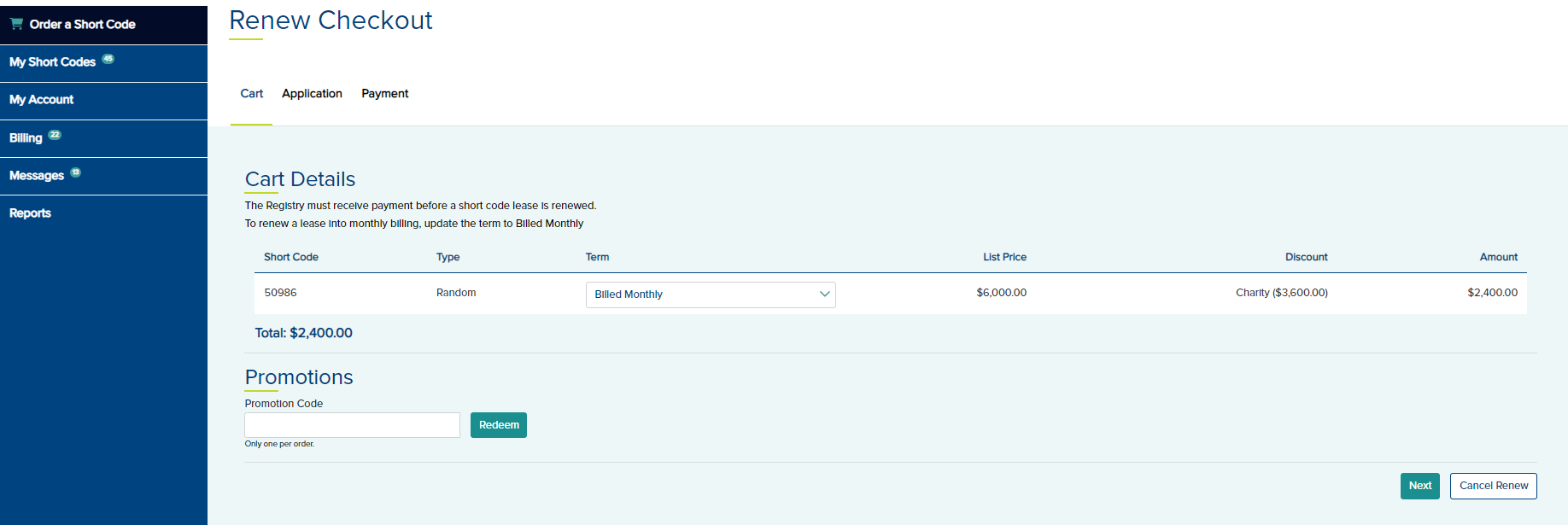
- On the Cart tab, you may renew the code as pre-paid for a 3-Month, 6-Month, or 12-Month term or renew direct into monthly billing by selecting Billed Monthly.
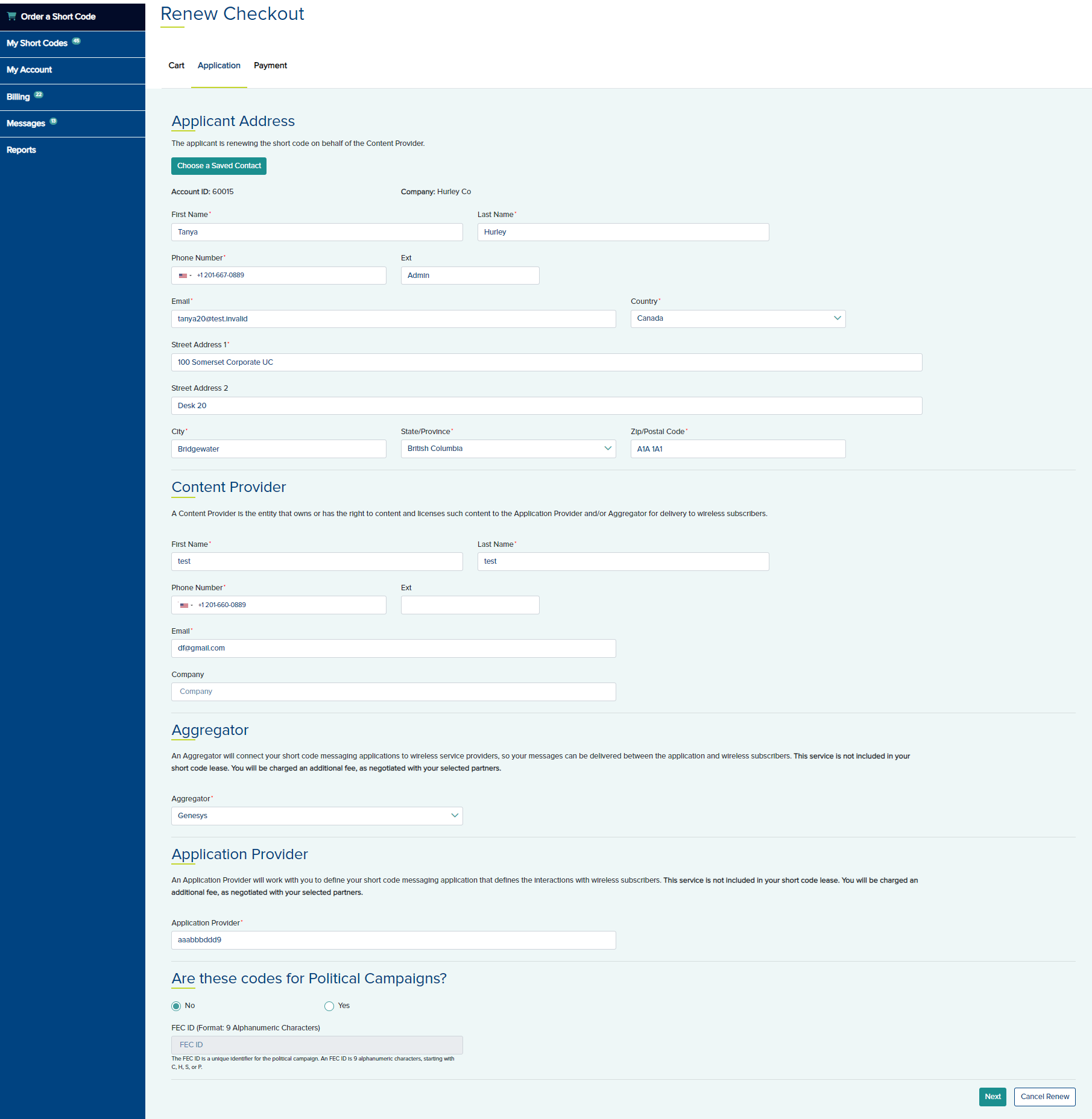
- Click Next and edit any information in the Application tab as needed.
- Click Next to open the Payment tab.
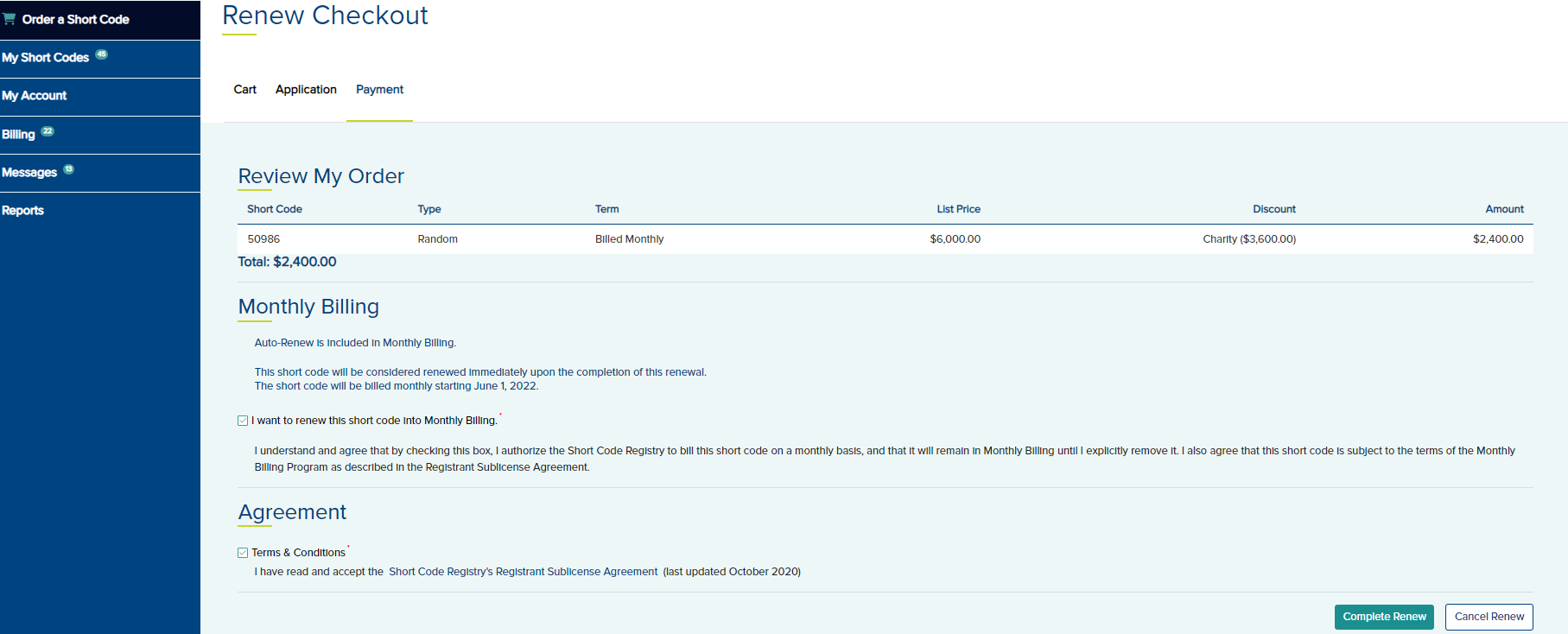
- In the Monthly Billing section, select the option I want to renew this short code into Monthly Billing
- Agree to the Terms and Conditions under the Agreement section.
- Click Complete Renew and a Thank you page is displayed.
Monthly invoice generation is 5 days before the first of the month. If the short code expiration is next month and today is after the invoice generation (i.e., today is within 5 days of the first of next month), you may renew this short code into Monthly Billing.
Condition - To add this short code to Monthly Billing, you must start with a 1-month pre-paid lease that will automatically roll over into monthly billing. You may renew the code as pre-paid for 3,6, or 12 months with no conditions
- To renew the code, click the Renew button below the Action column.
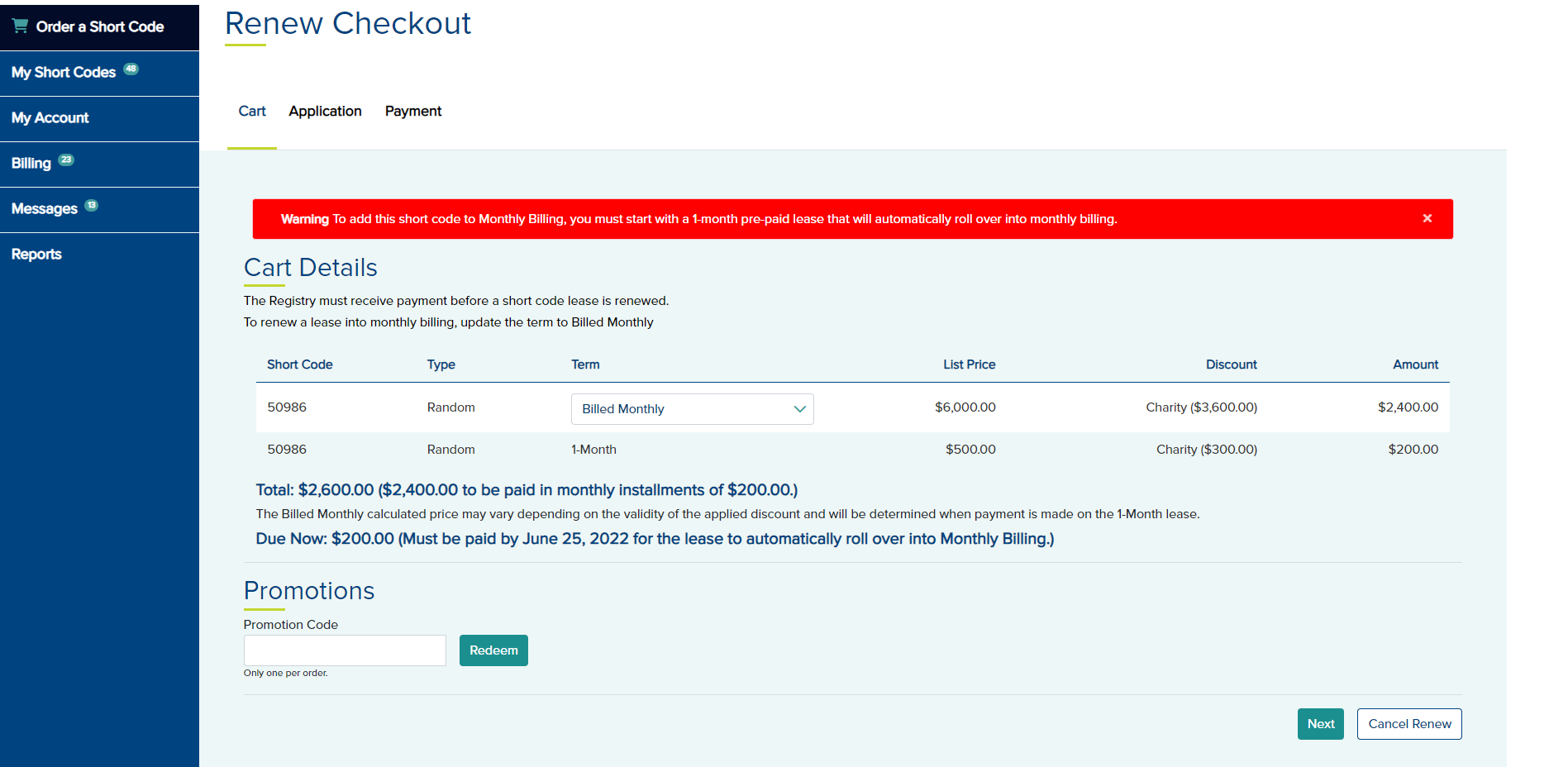
- On the Cart tab, you may renew the code as pre-paid for a 3-Month, 6-Month, or 12-Month term or add to Monthly Billing by selecting Billed Monthly as the term.
If you want this code to be enrolled in monthly billing a warning is displayed. To add this short code to Monthly Billing, you must start with a 1-month pre-paid lease that will automatically roll over into monthly billing when the 1-month lease is paid.
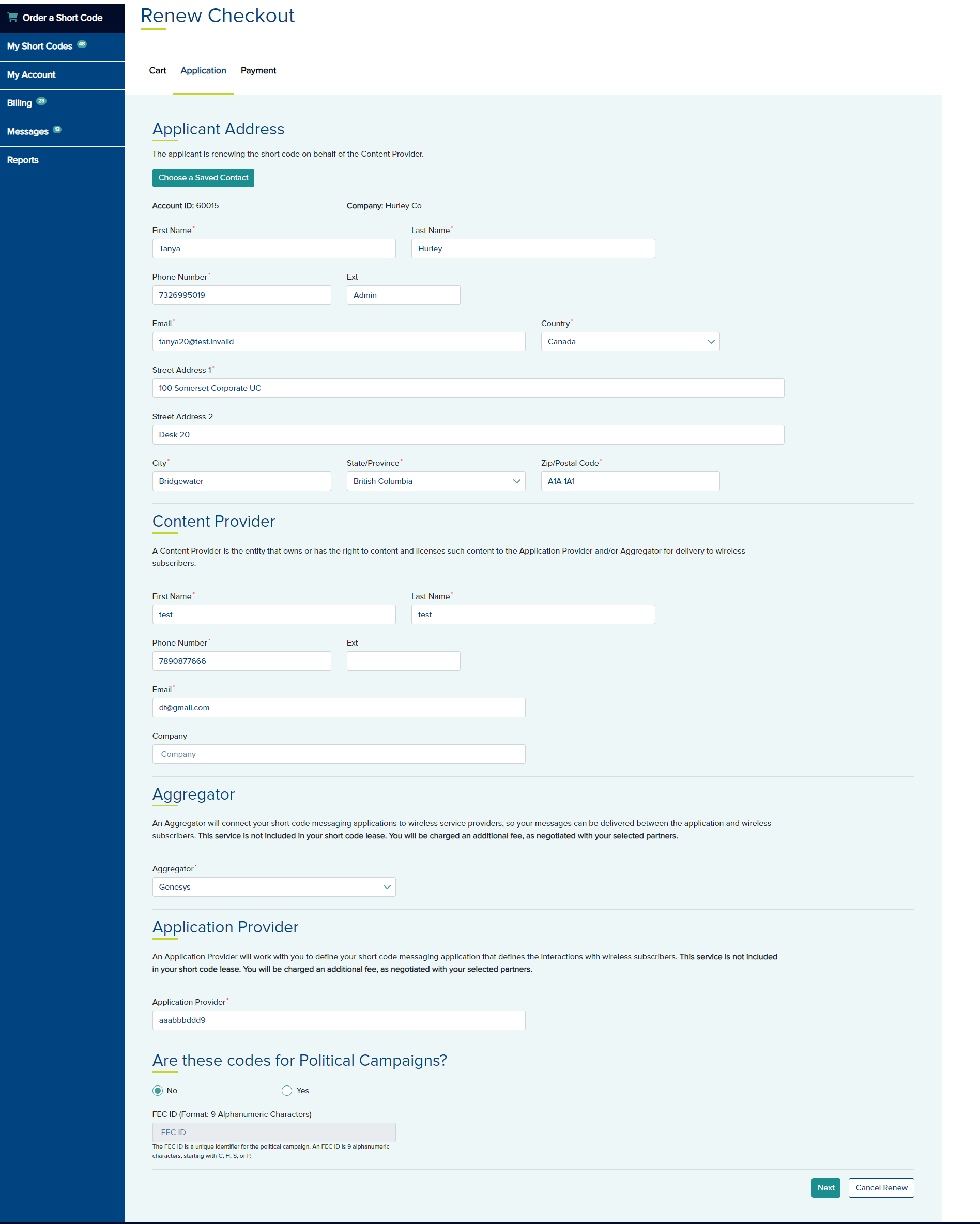
- Click Next and edit any information in the Application tab as needed.
- Click Next to the Payment tab.
- If you choose Pay Now, select a payment method. If the payment is successful for the 1-month, the short code will automatically roll into monthly billing.
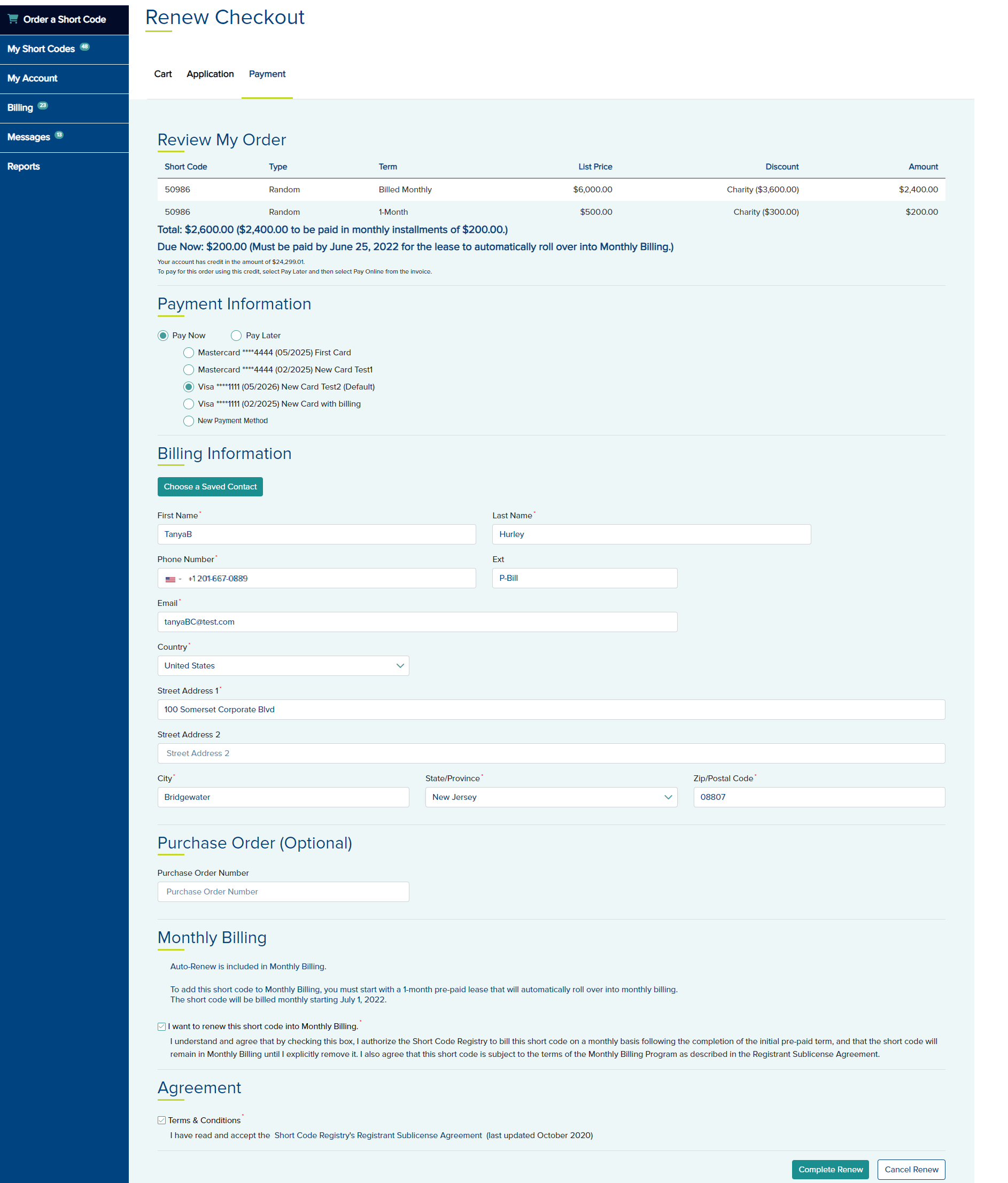
- If you choose to Pay later the Billed Monthly calculated price may vary depending on the validity of the applied discount and will be determined when payment is made on the 1-Month lease.
- In the Monthly Billing section, select the option I want to renew this short code into Monthly Billing
- Agree to the Terms and Conditions under the Agreement section.
- Click Complete Renew and a Thank you page is displayed.
Short Code Expiration - Month after NextShort Code Expiration - Month after Next
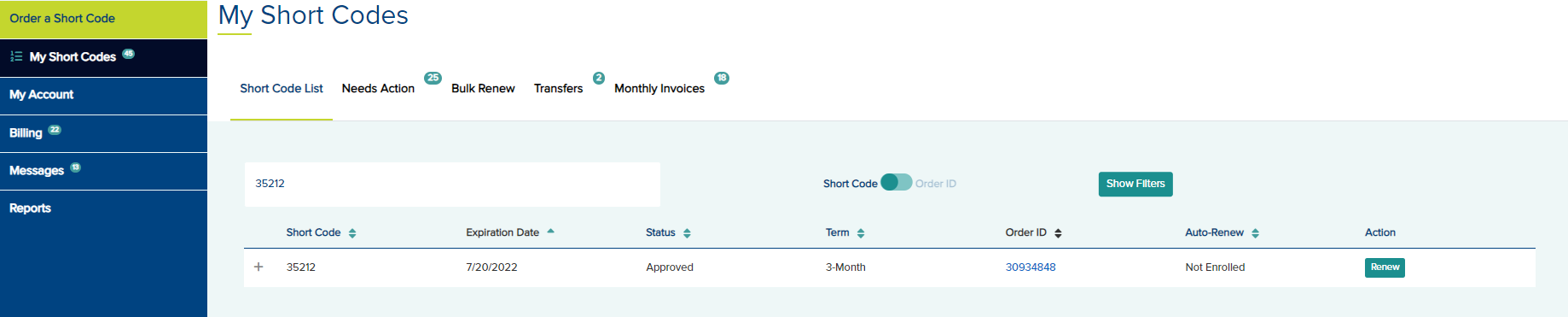
In this scenario, the short code is expiring the month after next. You can renew the code directly to Monthly Billing. In the following example, the code expires on 7/20/2022. Today is 5/20/2022.
- To renew the code in to Monthly Billing, click the Renew button under the Action column.
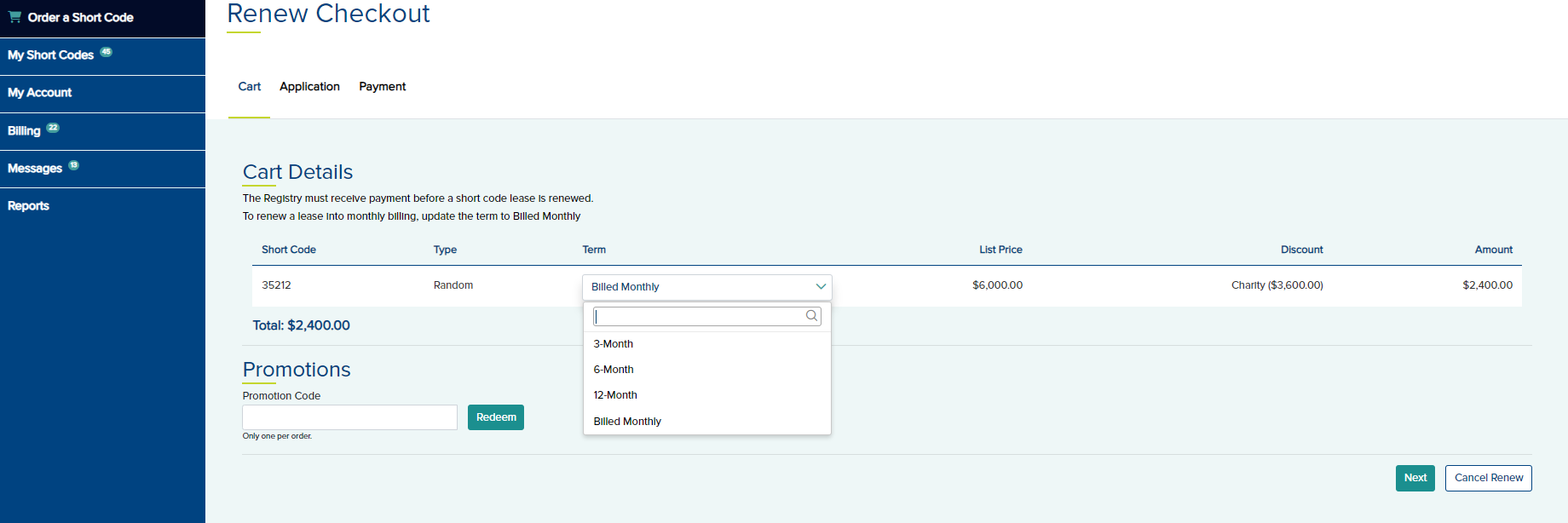
- On the Cart tab, you may renew the code as pre-paid for a 3-Month, 6-Month, or 12-Month term or renew direct into monthly billing by selecting Billed Monthly and click Next.
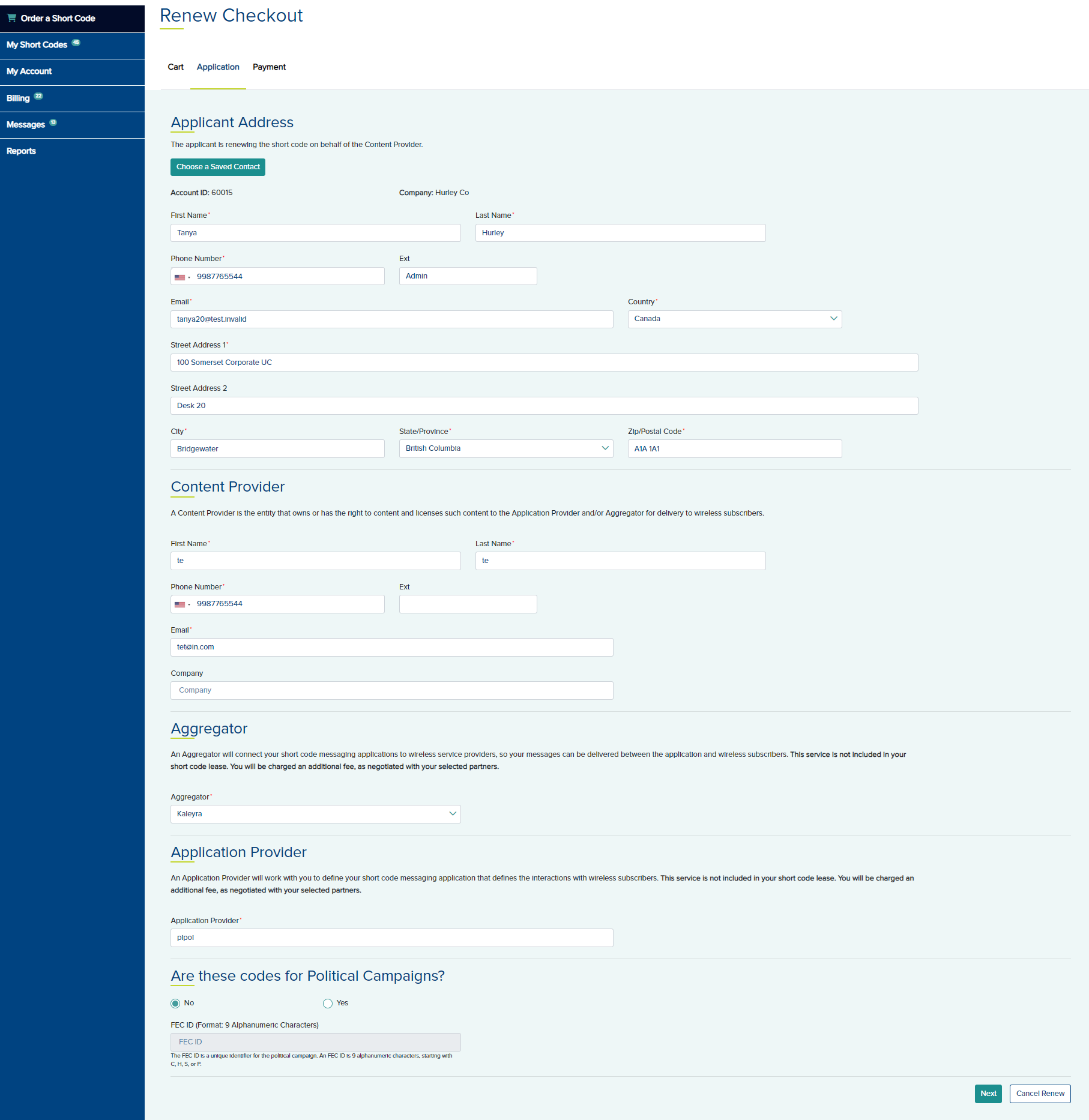
- Edit any information in the Application tab as needed.
- Click Next to open the Payment tab.
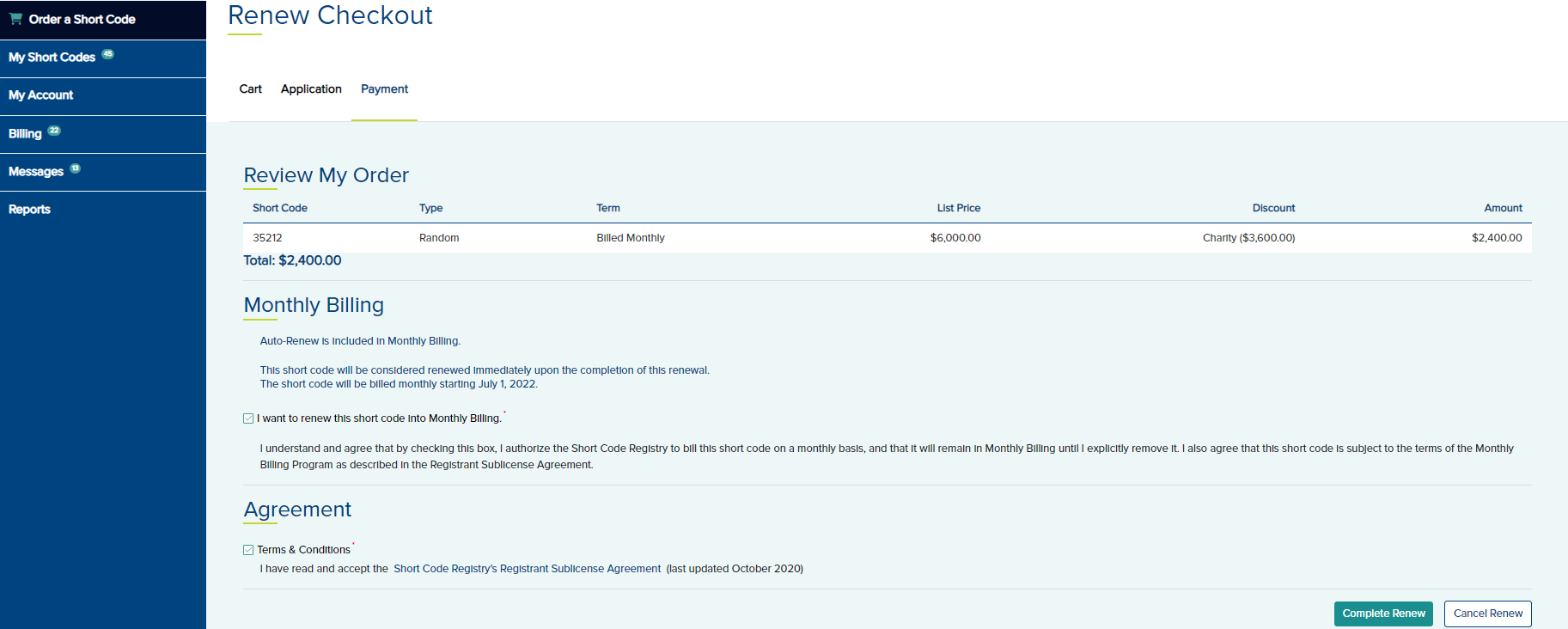
- In the Monthly Billing section, select the option I want to renew this short code into Monthly Billing.
- Agree to the Terms and Conditions under the Agreement section.
- Click Complete Renew and a Thank you page is displayed.