Download a Report
You can download reports in XLSX format from the Reports page.
Note: Any labels with * are mandatory fields necessary to proceed.
- From the left menu, click Reports.

Four types of reports can be downloaded from this page. Note that you can only download one report at a time.
Short Code ExpirationShort Code Expiration
- To download a Short Code Expiration report, from the Report Type field, select Short Code Expiration from the drop-down.
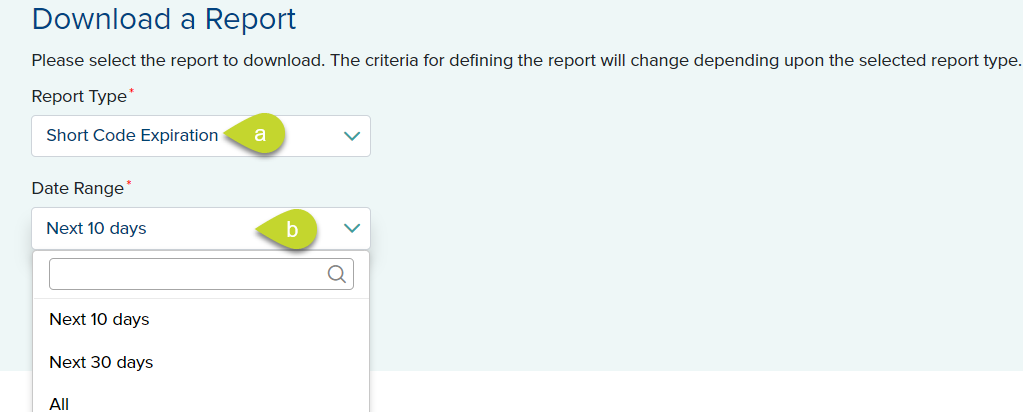
- From the Date Range field, select Next 10 days, Next 30 days, or All.
Payment SummaryPayment Summary
- To download a Payment Summary report, from the Report Type field, select Payment Summary from the drop-down.
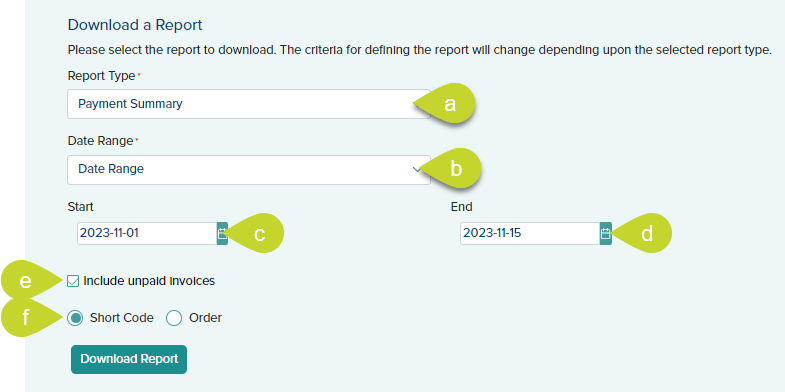
- From the Date Range field, select Last 7 days, Current Month, Previous Month, Year to date, or Date Range.
- If you select Date Range, enter the Start Date and End Date using the date picker.
- Select Short Code or Order.
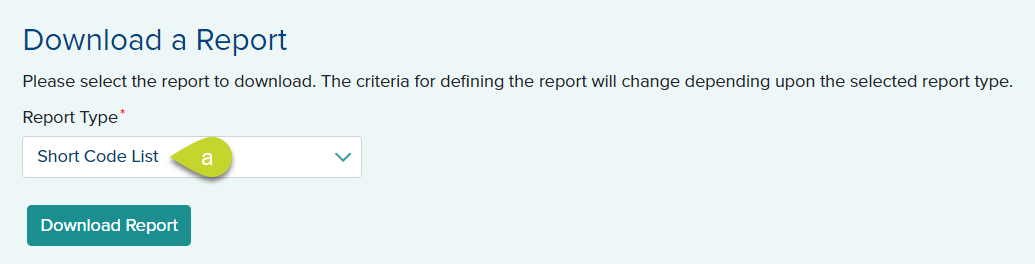
Short Code ListShort Code List
- To download a Short Code List report, from the Report Type field, select Short Code List from the drop-down.
Short Code TransfersShort Code Transfers
- To download Short Code Transfers report, from the Report Type field, select Short Code Transfers from the drop-down.
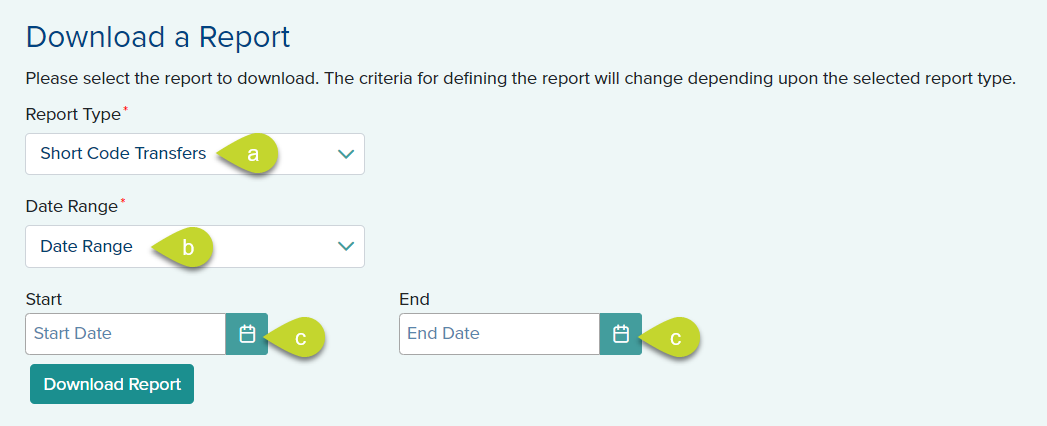
- From the Date Range field, select All, Current Month, Previous Month, Year to date, or Date Range.
- If you select Date Range, enter the Start Date and End Date using the date picker.
- Click Download Report. The reports are downloaded in XLSX format. Open the file from your system's download folder to view the details.